
Practical guides
How to redeem CinchBucks rewards and check their status
Use the Rewards area in your dashboard to see the catalog currently available to your account. A brand mentioned in an article is not a promise that its reward is available in your country today.
Free to join · Adults 18+ · Availability and qualification vary
Find your next rewarding activity
Choose from your live catalog, verify the request details, and follow the status of the original request.
What does your reward status need next?
| State | Next check |
|---|---|
| Not listed | The catalog currently available to your account; choose another usable option or return later. |
| Not enough credited CB | The live requirement and your confirmed balance; pending activity may not be usable. |
| Pending review / Processing | Messages and processing instructions on the original request. |
| Completed but not received | Fulfillment instructions, recipient details and any stated delivery channel. |
| Cancelled / Rejected | The reason shown and any related balance record; ask Support about unclear discrepancies. |
Find it in CinchBucks
These links open the relevant product areas. Member pages may ask you to sign in before displaying your own records.
- Open Rewards
Inspect your signed-in catalog rather than relying on the public category preview.
- Review account activity
Keep the original request reference and compare the visible redemption record.
- Ask about an unclear status
Include the reward, request date and status without sharing redemption codes.
Open the right redemption area
Use Dashboard → Rewards to browse rewards. The separate “Redeem” page is for promotional Cinch Codes; it is not the gift-card catalog.
Check your credited balance and the catalog’s required CB amount. Do not assume a universal conversion rate or minimum from an old article.
Review the reward before confirming
Verify the brand or payout method, country, currency, denomination and required account details. Some products have country-specific usage restrictions even when the brand name is familiar.
- Check that the reward is currently available to your account.
- Confirm the amount and required CinchBucks.
- Read fulfillment instructions and any verification requirement.
- Review recipient information in the secure request flow before submitting.
Follow processing and fulfillment
A submitted request may require account review or provider processing. Use the status and instructions shown in your account. Do not treat submission as completed payment, or submit duplicates to try to accelerate it.
If delivery instructions mention email, check the correct inbox and junk folder without sharing redemption codes with anyone.
When to ask for help
Contact Support when the request shows an error, needs clarification, or has passed its stated processing period. Include the reward name, request reference and date. Hide codes and personal details in attachments.
For a PayPal option, check its live eligibility and recipient requirements. If it is absent, do not start activities on the assumption it will appear later.
Follow the actual catalog-to-request path
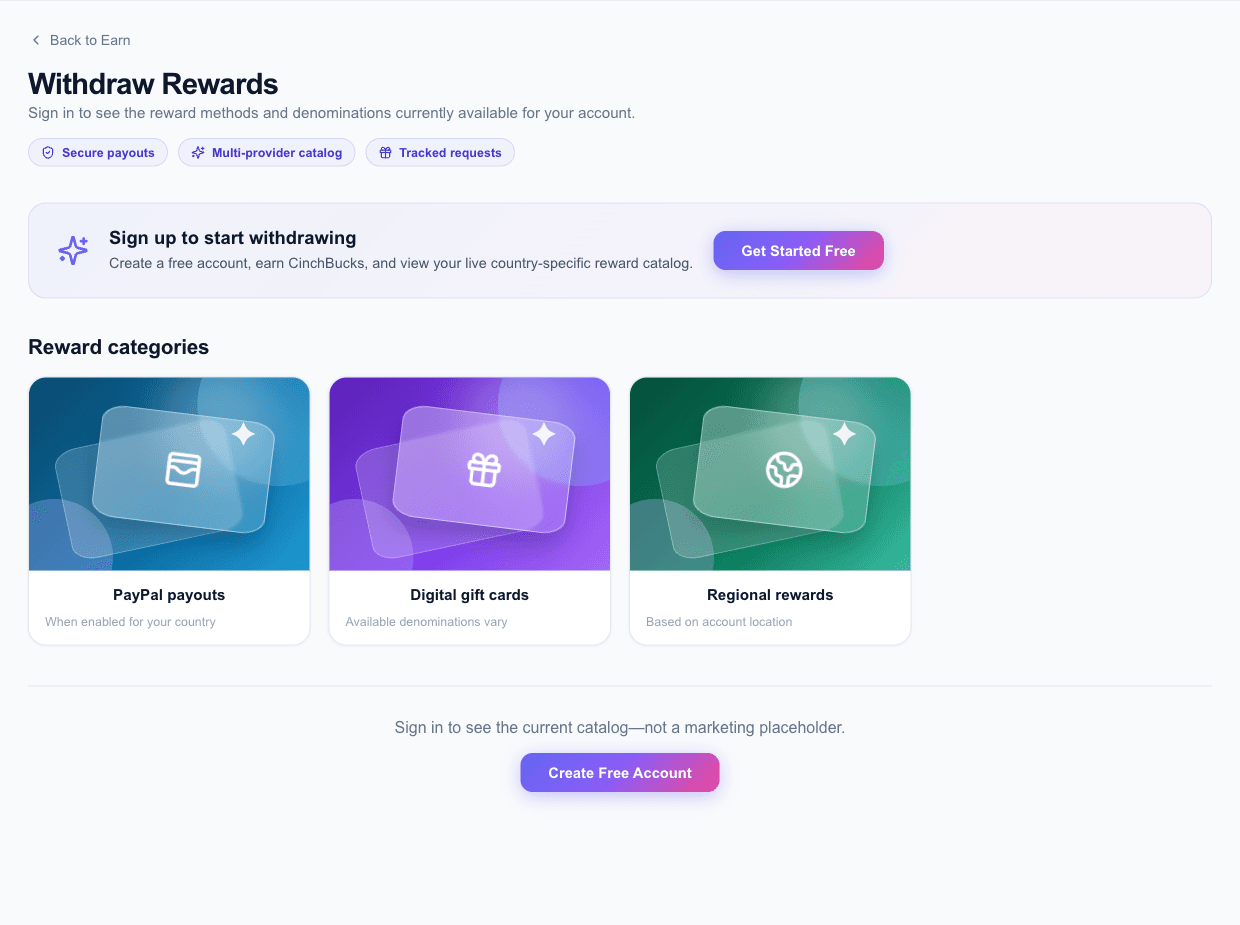
The public Rewards page is titled Withdraw Rewards and previews reward categories. That preview is not your live account inventory. Sign in to inspect the products returned for your account, then open the reward you want and review the available denomination or amount.
The product flow can ask for recipient details and additional required fields. Review those instructions inside the request form. If a required field or verification step is unclear, resolve it before submitting; do not enter invented information to move past it.
Use status words to decide what to do next
“Pending review” means you should inspect the request’s review instructions. “Processing” indicates the request is still in progress. “Completed” should be checked alongside any fulfillment details provided. A cancelled or rejected request needs its actual message reviewed, rather than another identical submission.
These labels help organize your next step, but a general guide cannot supply the deadline for your particular reward. Use the product’s stated processing information and Support when that information is absent or contradictory.
A worked example: the brand is available but the amount differs
Suppose a screenshot shows a familiar brand at one denomination, but your account now offers another. The current selectable option governs a new request. Review its required CB and region before continuing; do not use the old screenshot to calculate whether you have enough.
After submission, save the request reference privately. If something looks wrong, describe the selected reward, date and visible status to Support. Never include an unredeemed gift-card code in a public review or ordinary screenshot.
Common questions
Where is the current minimum redemption amount?
Check the denomination and required CB in your live Dashboard → Rewards catalog. It can vary by reward and country.
Is PayPal available everywhere?
Do not assume universal availability. Your live account catalog determines which payout methods you can request.
Is a rewards preview proof that I can request that product?
No. The public preview explains reward categories. Your signed-in catalog and the selected product’s conditions determine whether you can request it.
Should I submit again if a reward is processing?
Check the original request first. Repeating it can create separate requests rather than accelerate the first one.
Sources & scope
Based on CinchBucks product flows and support guidance. Check the original activity terms and your live account for current eligibility, rewards and processing instructions.
Found an unclear detail? Contact CinchBucks.